WORKSPACE GUIDE · REVIEWED 13 SEPTEMBER 2026
Create and maintain an offer
Open Offers and choose Create offer. Set the product, price and delivery before publishing. Open an existing offer to edit its presentation. Use its product settings to review shared price or delivery changes and every linked checkout. Archive preserves orders; restoring an archived offer returns it to draft.
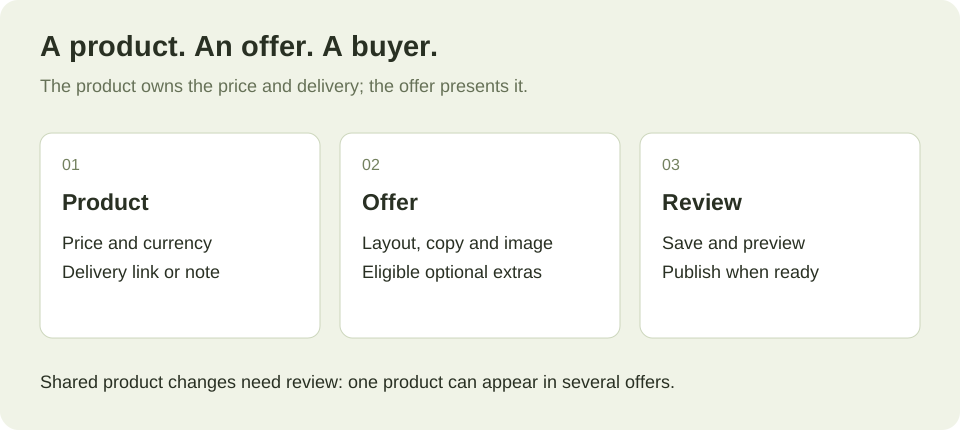
01 — The mental model
Product vs offer
A product carries a name, a price and a way to deliver it. An offer decides how that product is sold: which template, what the page says, whether there is a bump, whether a chain runs afterwards.
The same workbook can be a product sold on its own, a tick-box bump on a bigger course, and a one-click upsell after something else — three offers, one product, one price to keep up to date. The guide draws this.
02 — What you can build
The three offer shapes
| Shape | What it is | Can carry |
|---|---|---|
| One-time | A single product, bought once. | Up to 3 bumps, and a chain of up to 3 post-purchase steps. |
| Subscription | Billed monthly or yearly, with an optional 1–365 day trial. | Nothing. No bump, no upsell, no funnel — the add-on would never renew. |
| Bundle (a cart) | 2–10 one-time products the buyer ticks, one payment. | A bundle discount. No bumps — the items are the choices. |
Details: bumps and upsells, subscriptions, carts and bundles.
03 — The rule that stops the worst outcome
The delivery gate
Every product needs a way for the buyer to get it: a delivery link, an access note shown on the thank-you page, or a webhook of yours that delivers. That applies to the main product, to a bump, and to every item in a cart — separately.
An offer with a gap is refused at going live rather than discovered by a buyer who paid and received nothing. The refusal names the item that is missing, so you are not hunting.
04 — Over time
Draft, live, archived
An offer has three states. Draft and live control selling; archive removes it from the working list while preserving its orders.
- Draft — exists, not buyable. Tick Create as a draft and you can stage an offer without it being momentarily purchasable while you finish.
- Live — selling.
- Archived — out of your working list, with its orders intact.
Nothing here rewrites history: archiving or drafting an offer leaves every order that used it exactly as it was.
05 — Diagnosis
If something looks wrong
My offer will not go live. Something cannot deliver. The refusal names it.
I cannot find my products. There is no Products tab — edit the product from its offer.
I cannot add a bump to a subscription. Correct, and deliberate: the add-on would never renew. Sell it as its own offer.
I paused an offer and it says draft. That is what pausing does.
06 — Next